

Documentation Index
Fetch the complete documentation index at: https://basedash.com/docs/llms.txt
Use this file to discover all available pages before exploring further.
Automations are much more capable
Automations now feel more like a first-class part of Basedash. The product language is now unified around automations, setup is cleaner, automations show up in command menu search, and you can give each one its own icon and color so important workflows are easier to spot at a glance. We also added data-change triggers, so automations can run when a query result changes instead of only on a schedule. Sharing and permissions are more intentional now too, with clearer view and edit access for teammates, and automation pages refresh more smoothly while you are watching new runs come in.AI can now follow your personal context
You can now add personal AI context from your profile, which gives Basedash guidance that is specific to how you work. This is a useful place to tell AI what metrics you care about most, how you want answers framed, or what business context matters for your role. This personal context works alongside your team’s shared AI context instead of replacing it. That means AI can stay grounded in company-wide context while still adapting responses to each teammate across chat, chart creation, and other AI-assisted workflows.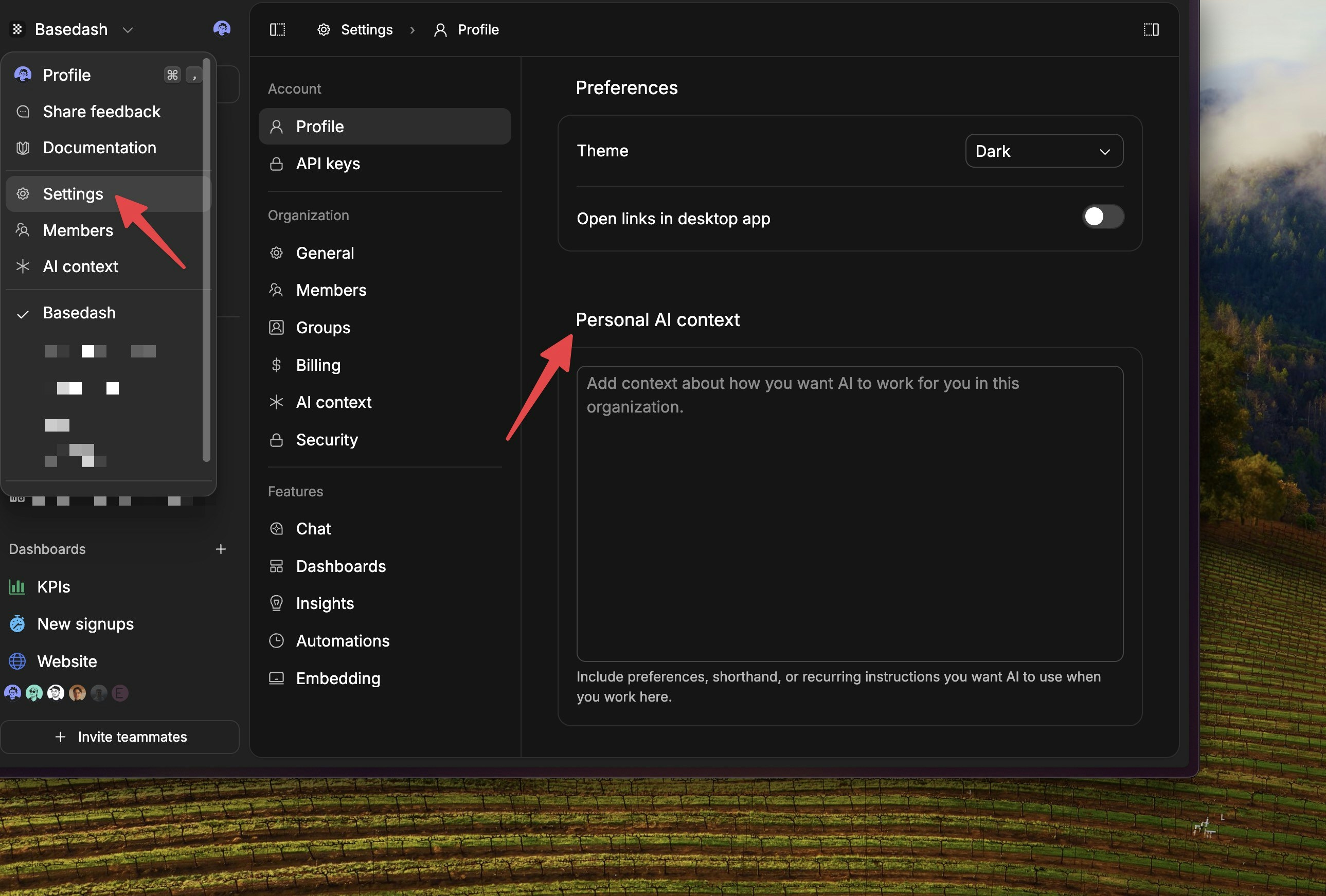
Basedash feels noticeably faster
We cut a large amount of client-side weight out of the app and pushed more heavy code to load only when it is actually needed. That means less JavaScript up front, faster page readiness, and a lighter feel across common workflows. The sidebar also renders much sooner now. Static navigation no longer waits on billing, sync, or live collaboration dependencies before appearing, so the app should feel more responsive instead of showing a blank sidebar while the page catches up.Fixes and improvements
- Added a billing page that shows AI usage, included credits, and overages for the current billing period.
- Improved Slack AI conversations with clearer streamed progress updates.
- Improved chart drill-down reliability by validating drill-down SQL as charts are created and updated.
- Fixed automation trigger edits so saved data-change settings no longer get cleared unexpectedly.
- Fixed dashboard controls so values no longer carry across organizations.
- Fixed chart x-axes so small numeric values are less likely to be interpreted as dates.
- Simplified navigation by removing the standalone Charts sidebar item.