Introducing Basedash MCP connectors
Max Musing
 Max MusingFounder and CEO of Basedash
· May 15, 2026
Max MusingFounder and CEO of Basedash
· May 15, 2026
Max Musing
Max MusingFounder and CEO of Basedash
· May 15, 2026
Today we’re launching MCP connectors. They let you plug any external Model Context Protocol server into Basedash so the agent can take action on the data it already reads.
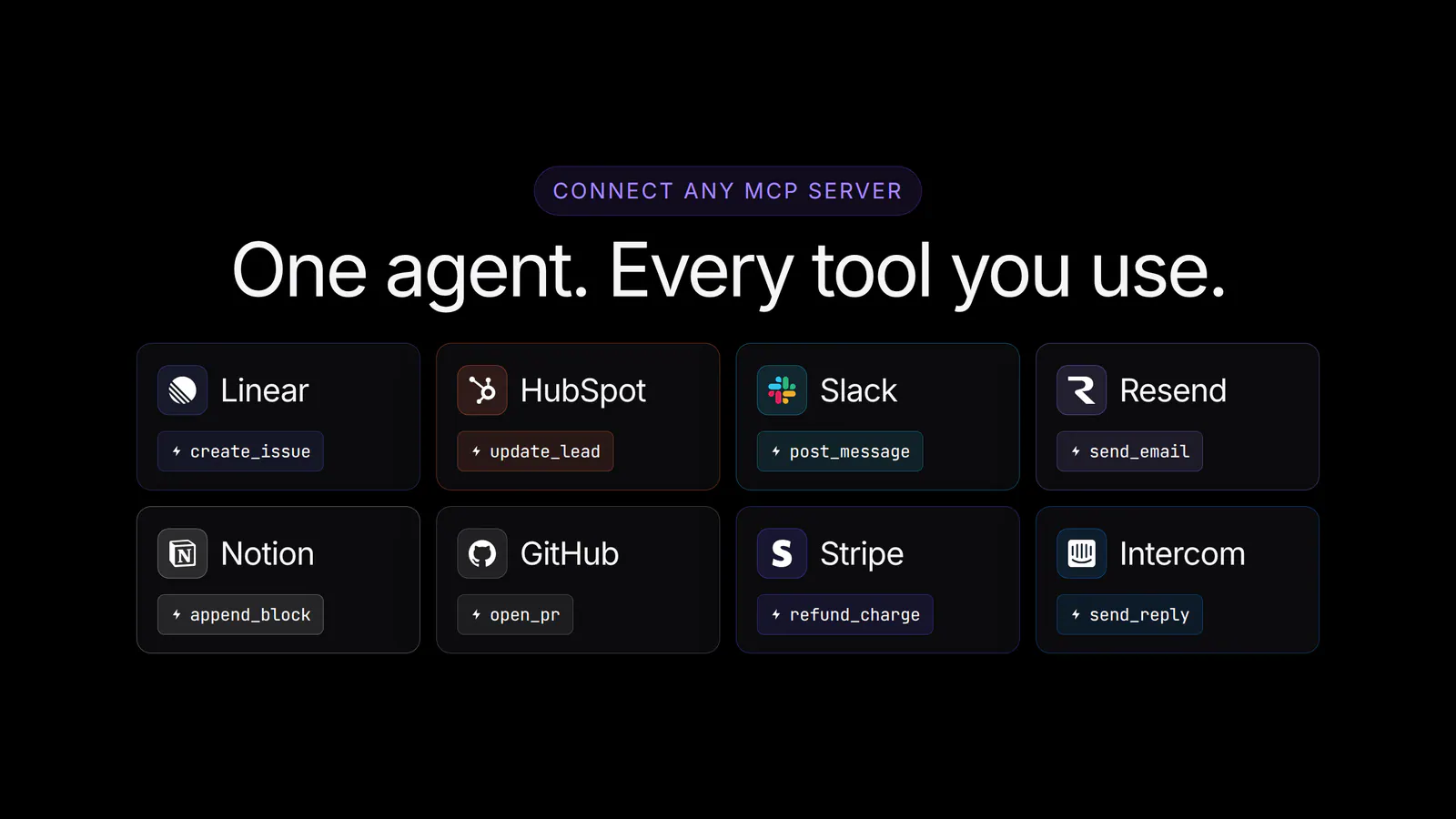
Basedash already pulls from your databases, warehouses, and 750+ SaaS tools. Connect an MCP server (Linear, HubSpot, Slack, Resend, Notion, GitHub, or your own internal one), and every tool that server exposes becomes available to the Basedash agent inside chat and Automations.
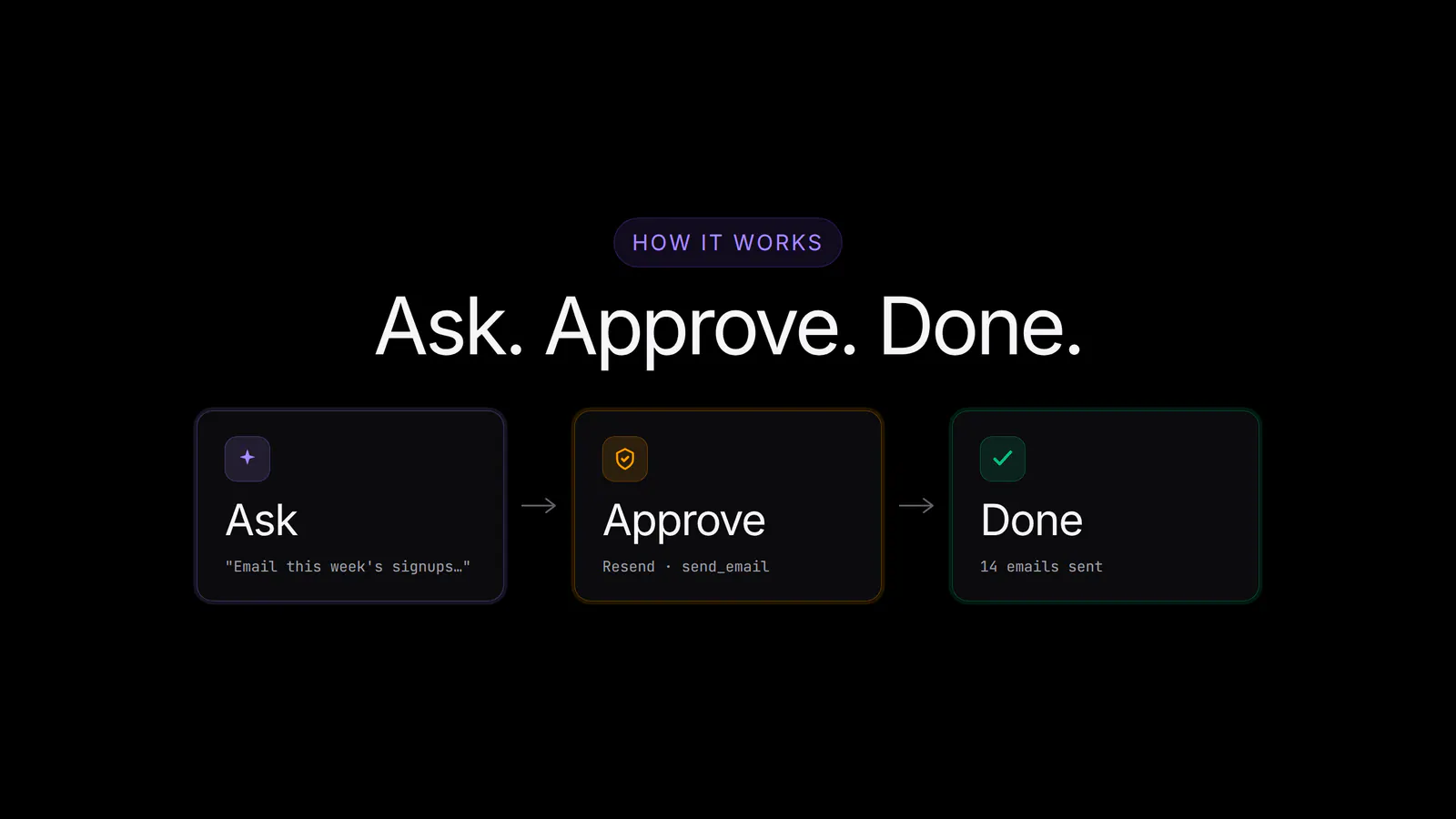
You can ask it to email this week’s signups a personalized welcome based on the features they set up, file a Linear bug from a support ticket and link the user record, or update HubSpot leads for everyone who hit the paywall yesterday.
BI tools have always been read-only. They can tell you a signup cohort is stuck, a support issue is recurring, or a customer record needs attention, but the moment you want to do something about it, you leave the dashboard and open another tab.
That hand-off is where most “data-driven” workflows break down. The analysis happens in one place and the action in another, and the answer to “what should we do about this?” gets lost on the way to the inbox, the CRM, or the issue tracker.
Once you connect an external MCP server, its tools sit next to your data sources. The agent can read from your database and act in Linear in the same turn, or compare cohorts and update HubSpot from the same prompt, so the follow-through happens where the analysis happens.
This is the natural next step for the agent. We’ve spent the last year making it a great analyst, and now it can also be a great operator, with all the same governance.
Adding a connector takes about a minute:
Behind the scenes, Basedash speaks remote MCP over streamable HTTP or SSE, handles OAuth refresh, and re-syncs tools whenever the upstream server changes.
Our customers are connecting the apps they already work in.
If a service exposes a remote MCP server, Basedash can use it. If you have an internal MCP server in front of an internal API, point Basedash at that too.
The most common pattern is to read your governed data, then act in another app.
resend.send_email.linear.create_issue.hubspot.update_lead.slack.post_message.github.create_issue.Each one pairs a governed read with a governed action in a single prompt.
Read-only BI is safe by default, but taking actions isn’t, so we built MCP connectors around explicit human review.
Every synced tool gets one of three access modes:
When the agent calls a Needs approval tool, a review card appears in the chat with the exact payload (recipients, subject, body, every field) so you can approve or reject it before anything fires. The same approval flow works in Slack, so the team can keep moving without jumping back into Basedash.
Connectors also carry their own audience. You can:
Pair connector-level scoping with tool-level approval modes and you get fine-grained control over both who can use a connector and which actions inside it run automatically.
Every tool a connector exposes is also available to Automations. The one-off agent run that emails this week’s signups becomes a weekday-9am workflow that sends those emails every week, with the same prompt, the same governance, and no extra setup.
A one-prompt experiment can become a recurring operation as soon as it works: a daily ICP welcome, a weekly HubSpot refresh, real-time bug filing from support escalations, or sales pipeline updates the moment a deal hits a stage.
We’ve been dogfooding connectors internally. A few favorites:
These hand-offs between teams used to be slow. Now the agent runs them, and the team reviews the actions that matter most.
MCP connectors are available today for all Basedash workspaces.
For more, see the MCP connectors feature page or the docs.
The Basedash MCP server lets any AI client read your governed data, and MCP connectors let the Basedash agent take action in any tool your team already uses. With both, plus AI chat, Insights, Automations, and the Dashboard Agent, governed analytics and AI-driven action now live in the same Basedash workspace.
Try MCP connectors today by connecting the first app you want the agent to act in.
Written by

Founder and CEO of Basedash
Max Musing is the founder and CEO of Basedash, an AI-native business intelligence platform designed to help teams explore analytics and build dashboards without writing SQL. His work focuses on applying large language models to structured data systems, improving query reliability, and building governed analytics workflows for production environments.
Basedash lets you build charts, dashboards, and reports in seconds using all your data.