Introducing Basedash Skills
Max Musing
 Max MusingFounder and CEO of Basedash
· May 21, 2026
Max MusingFounder and CEO of Basedash
· May 21, 2026
Max Musing
Max MusingFounder and CEO of Basedash
· May 21, 2026
Today we’re launching Skills: reusable bundles of instructions that every Basedash AI surface can read on demand.
You define a concept once (how your team calculates activation, which fields matter for support triage, what makes a clean revenue breakdown), and every agent in Basedash picks it up automatically. You stop pasting the same caveats into every prompt, and teams stop drifting apart on what a metric means.
AI is great at producing answers and terrible at remembering rules. Anyone who has used a chat-based BI tool for more than a few days has run into the same problem: you can describe what activation means once, but the next person asking the same question gets a different definition. The system has no memory of how your team thinks about its data.
We’ve watched our own team work around this for the past few weeks. Whenever someone asked the chat agent about “MRR” or “activation rate”, they’d include the same definition in their prompt: “trials excluded, GAAP only, calendar weeks in UTC”. The definition belonged to the team, but the AI had no way to know that.
Skills are how we move those definitions out of one-off prompts and into shared, durable context. They sit somewhere between a system prompt and a semantic layer: more structured than free-form context, lighter than dbt models.
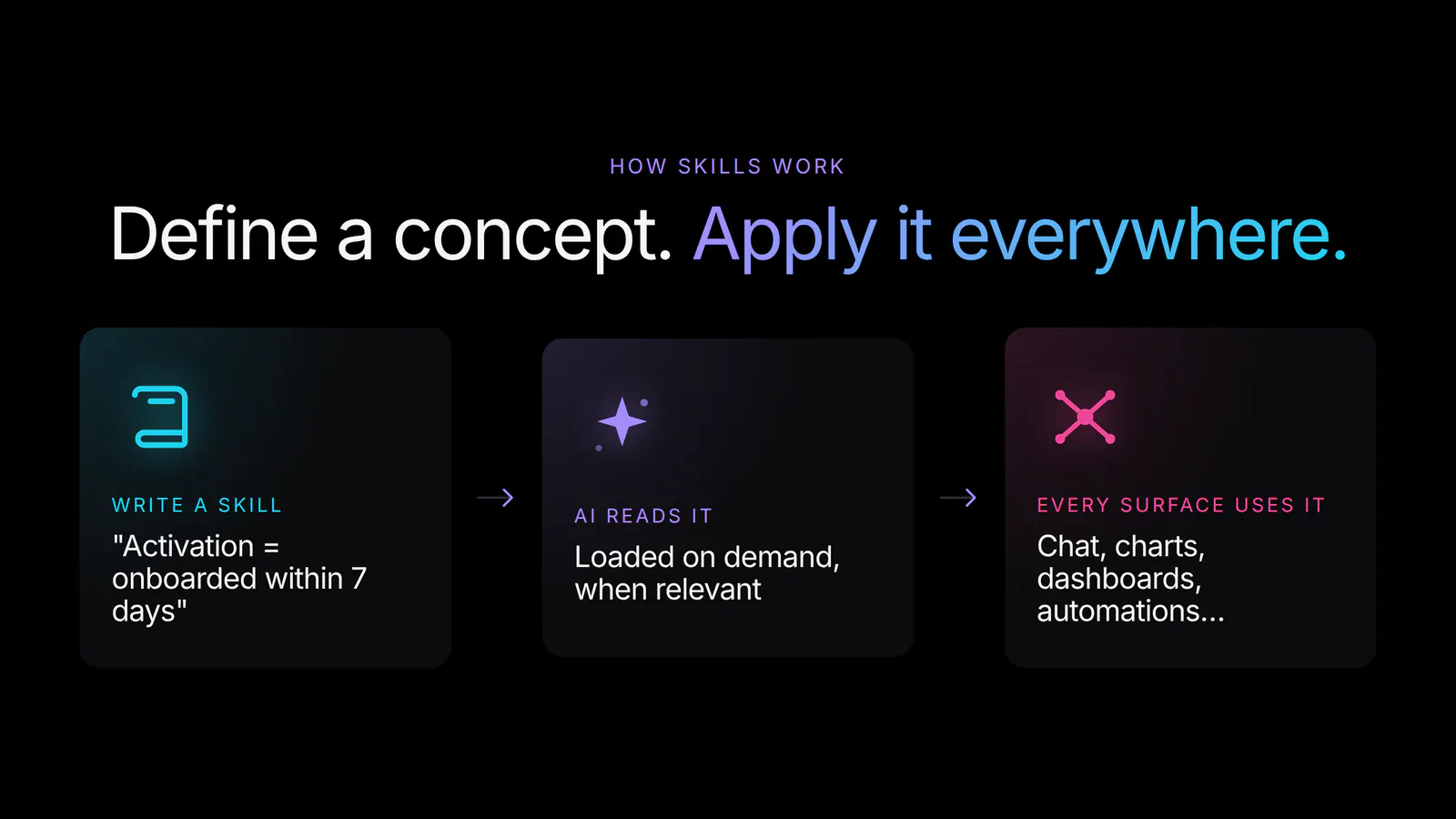
A skill is a name and a few lines of plain-language instructions. There’s no schema to follow and no SQL to write. You describe the concept the way you’d brief a new analyst.
There’s no semantic search or black-box retrieval here. The agent decides which skill is relevant based on the name and the context of the request, and you can see which skills it loaded for any given answer, so the process stays auditable.
Skills work best when each one focuses on a single concept or workflow. A few patterns we’ve seen work well internally:
A skill can be anywhere from a single line to a few paragraphs, up to 50,000 characters, so even your most nuanced playbooks fit. Skills are a natural home for the conventions that used to live in a Notion page few people read.
The use case we like most is treating skills as a lightweight semantic layer for metrics. Every B2B SaaS company has its own definition of MRR, activation, churn, and retention, and “lightweight” means you don’t have to model your entire warehouse in dbt to start codifying the metrics that matter.
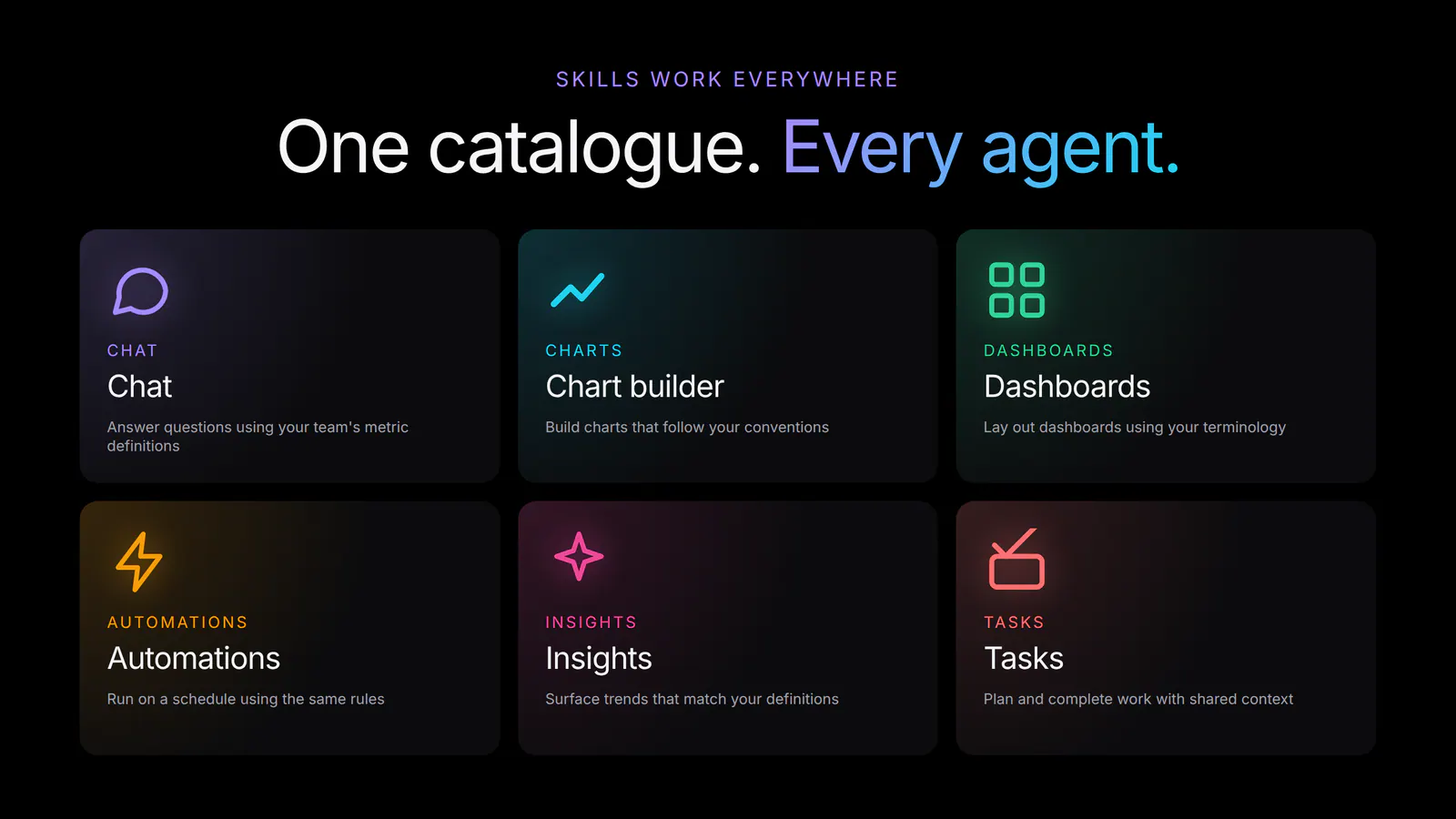
You write a skill called “Activation rate” once. It explains how to calculate it, which accounts to exclude, what time window to use, and what chart you prefer. From then on, anyone in your organization who asks the AI about activation gets a consistent answer, whether they’re chatting with the agent, building a dashboard, or scheduling a weekly report. The chart builder lays it out the way you specified, automation runs use the same rules, and the insights agent surfaces trends in the right units.
Working across every surface is what makes this useful. A semantic layer that powers only one feature is little more than an opinionated function. One that powers every AI surface in your BI tool becomes shared context that improves every time someone adds a skill.
We’ve been running on Skills internally for the past several weeks, and they’ve become some of the most-used context in our workspace.
Our growth team wrote an “Activation rate” skill on day one. The definition was already on a Notion page, so it took five minutes to port over, and people asking the agent about weekly activation no longer have to remember the trial exclusion rule. Our finance team’s “Revenue analysis” skill is the reason every chart in our exec dashboards uses GAAP and excludes trials, even when the person building it didn’t know to specify. Our support team’s triage skill means automation-generated weekly summaries categorize tickets the way humans would.
We started with three skills and now have fifteen. Each new one removes another thing the team had to remember to type into a prompt, and every existing dashboard and automation gets a little smarter without anyone touching them.
Skills are available today for all Basedash users.
For setup tips and best practices, see the Skills feature page or the AI context docs.
Skills round out how Basedash handles shared, durable AI context. Along with global context for org-wide facts, Insights for proactive findings, Dashboards for AI-built reports, and Automations for scheduled work, Basedash now has a place for every layer of how teams encode their business in AI.
We’re going to keep investing here: letting anyone in your org propose a skill, surfacing which skills were loaded for any given answer, and helping agents author new skills as they learn what your team cares about. We want Basedash to get sharper the longer you use it.
Write your first skill today so you don’t have to keep re-explaining what your metrics mean.
Written by

Founder and CEO of Basedash
Max Musing is the founder and CEO of Basedash, an AI-native business intelligence platform designed to help teams explore analytics and build dashboards without writing SQL. His work focuses on applying large language models to structured data systems, improving query reliability, and building governed analytics workflows for production environments.
Basedash lets you build charts, dashboards, and reports in seconds using all your data.