Introducing Basedash Actions
Max Musing
 Max MusingFounder and CEO of Basedash
· July 2, 2026
Max MusingFounder and CEO of Basedash
· July 2, 2026
Max Musing
Max MusingFounder and CEO of Basedash
· July 2, 2026
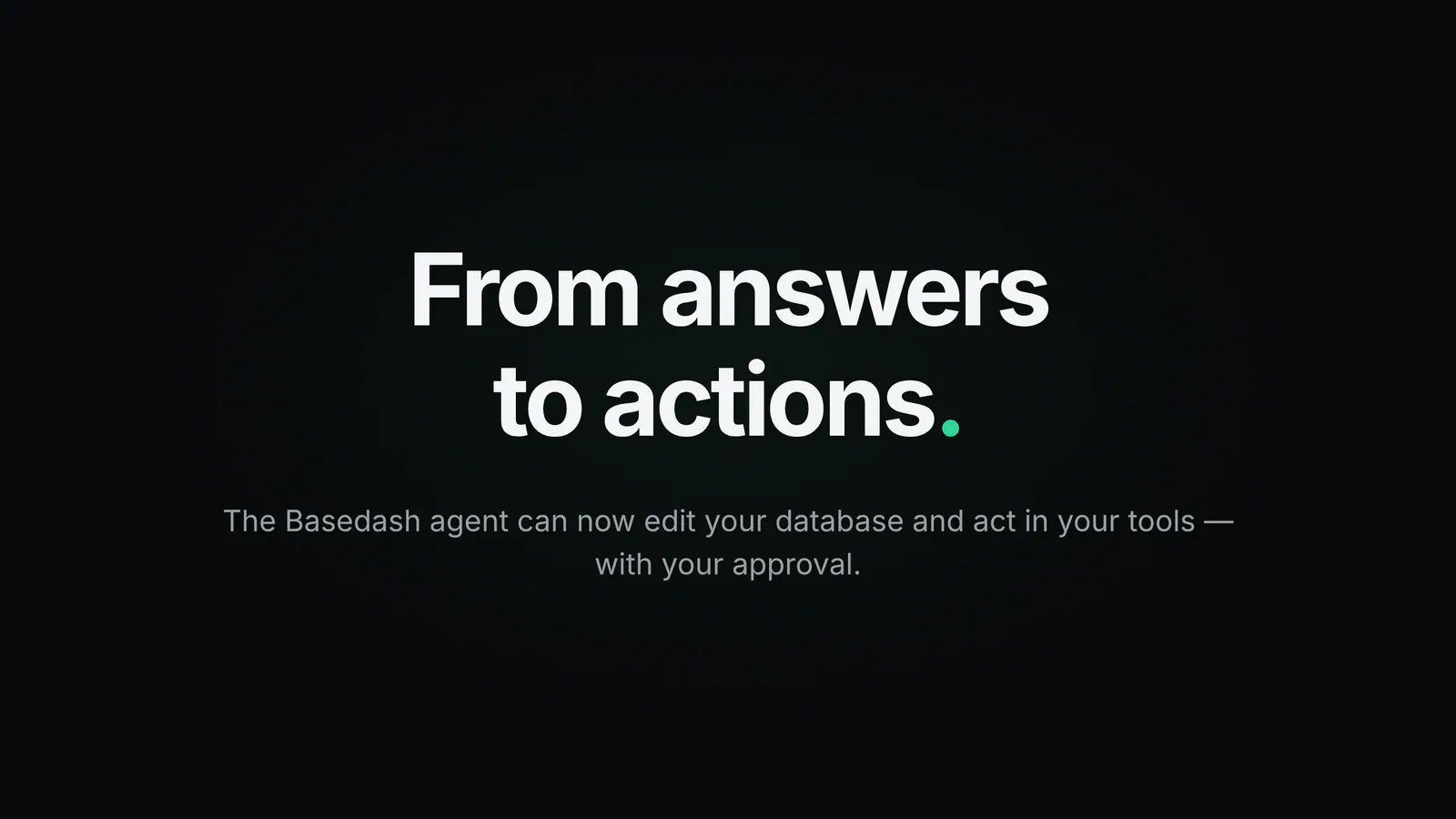
Today we’re launching Actions, which let the Basedash agent make changes as well as report on them.
Two new capabilities ship together. Data editing lets the agent write and run SQL against any database connection an admin has enabled for edits, so it can extend a trial, fix a bad record, or update the state of a hundred items at once. MCP actions let the same agent do things in the rest of your stack, like updating a subscription in Stripe, creating a lead in HubSpot, sending an email, or filing an issue. It can use anything a connected MCP server exposes.
Both follow the same rule: nothing consequential happens until a person says yes. The agent shows you the exact SQL or tool payload, and you approve or deny it before it runs.
BI tools have always stopped at the answer. They can tell you a customer’s trial expired yesterday, that a record is wrong, or that a subscription is out of sync, and then they hand the work back to you. The analysis lives in one tab and the follow-through lives in five others.
That last step is where data-driven workflows tend to stall. You leave the dashboard, open a SQL client, double-check the WHERE clause, switch to Stripe, then to email. Every hop loses context the agent already had.
With Actions, the agent that found the answer can also make the change, in the database and in the tools around it, from the same conversation. It already has the full context of your schema, your definitions, and your governance rules.
Admins can now enable Allow edits on any SQL database connection. Once it’s on, users with access to that data source can ask the agent to change things, and it writes the SQL itself.
It goes beyond flipping single values. Because the agent writes SQL with full context on your connected data, it handles messy, multi-row work too:
Basedash started as a read-only BI tool. With data editing, it can also configure and operate the systems your data lives in, using everything it already knows about them.
We launched MCP connectors recently, and reading data through them was only half the story. The other half is tools that do things.
Connect any MCP server and the agent can act through every tool it exposes:
Ask once, and the agent chains the read and the action together: it looks up the account in your database, then makes the matching change in Stripe, in one governed conversation.
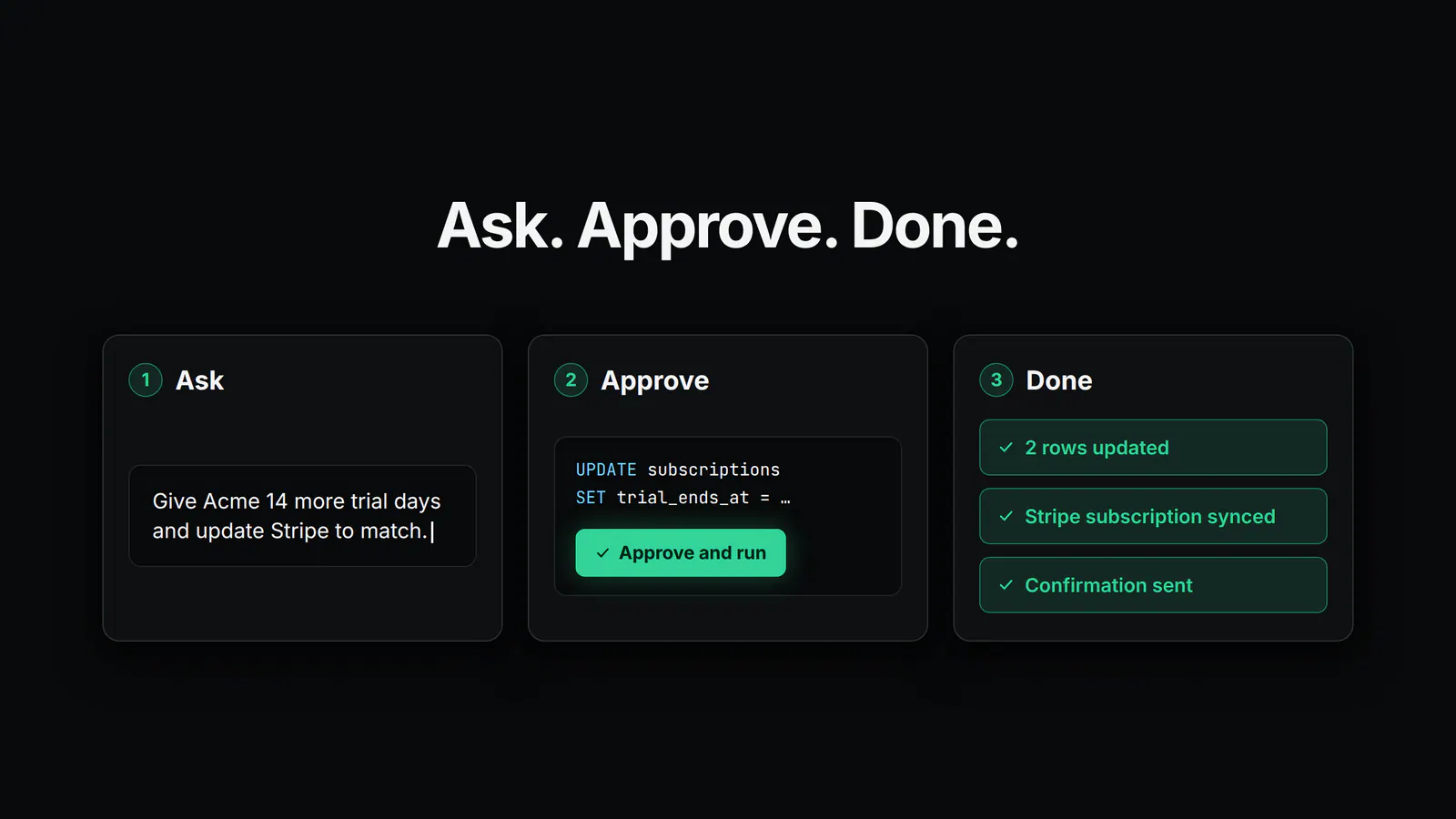
Giving an agent write access only works if a human stays in control, so every consequential action pauses for review.
When the agent wants to edit your database, you see an approval card with the data source, a plain-language description of the change, and the exact SQL it wants to run. Nothing executes until you hit Approve and run. If you deny it, nothing runs and the agent moves on.
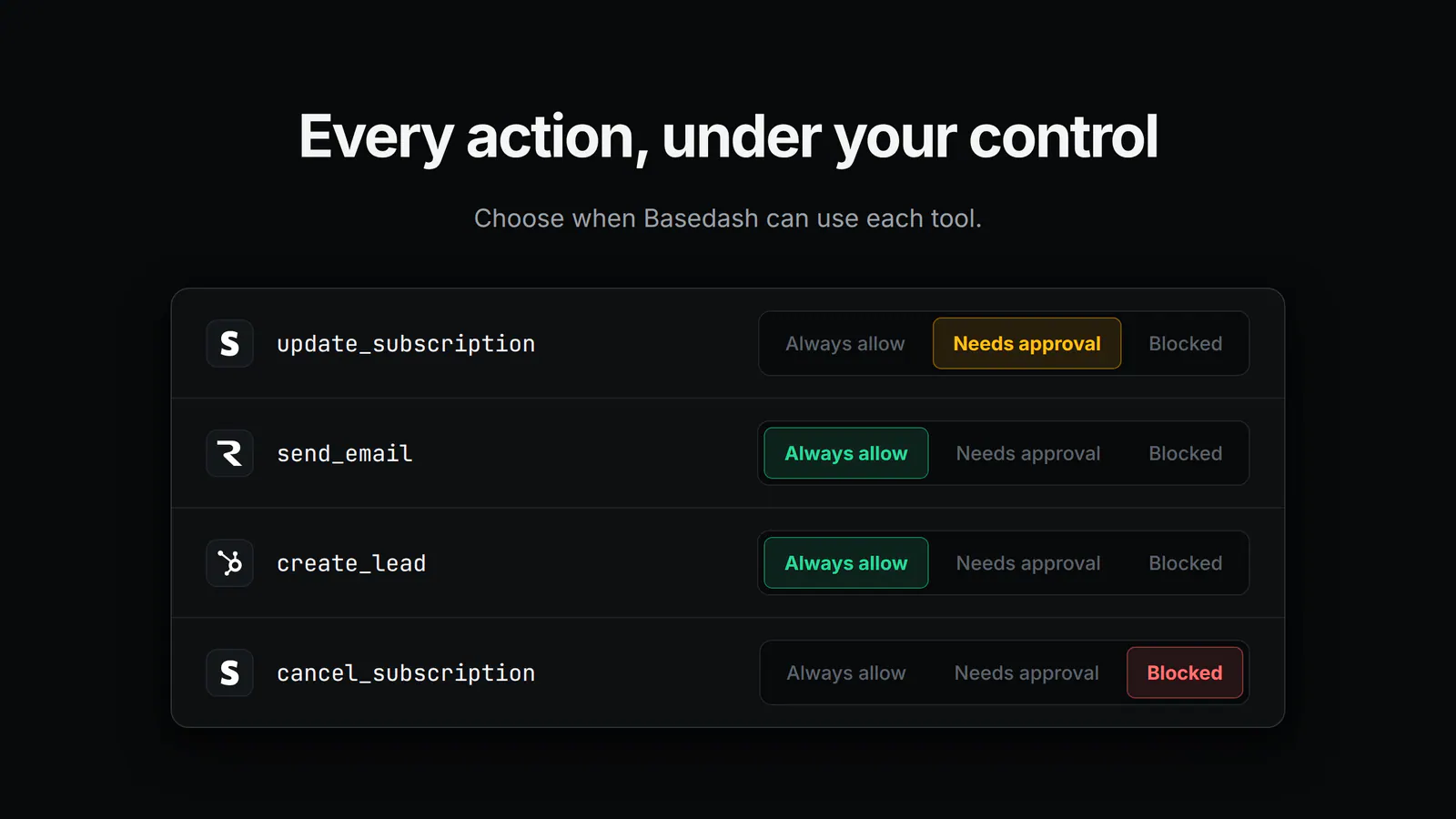
MCP tools go further with per-tool permissions. Every tool on a connector gets one of three modes:
That means you can let send_email run automatically while cancel_subscription always waits for a human or stays blocked entirely. Combined with connector-level audience scoping and the governance systems Basedash already has, you decide what the agent can do, for whom, and with how much supervision.
Actions are most useful when you combine them. Skills, the reusable instructions every Basedash agent can read, can now describe multi-step workflows that mix reads, edits, and external actions.
Take extending a customer’s trial. Internally, ours is a skill that tells the agent to look up the account in Postgres, update the trial end date, sync the subscription in Stripe, email the customer a confirmation, and report back in a specific format. What used to be a database edit, a billing change, and a follow-up email across three tabs is now one request, with one approval on the step that needs it.
Any workflow that touches your data and your tools can live in a skill: offboarding a customer, provisioning a demo environment, escalating an at-risk account. These multi-step operations run inside Basedash with the context of all of your company’s data.
We’ve been running on Actions internally for the past few weeks:
In each case, the agent does the work and a human reviews the part that matters.
Actions are available today for all Basedash workspaces.
For more on connectors and tool permissions, see the MCP connectors feature page or the docs.
Actions complete a progression we’ve been building toward all year: AI chat made your data conversational, Insights made it proactive, Automations made it scheduled, and MCP connectors plugged in the rest of your stack. Now the agent can act on all of it, and every action is governed, approved, and audited.
Turn on Allow edits today and ask your agent to make its first change.
Written by

Founder and CEO of Basedash
Max Musing is the founder and CEO of Basedash, an AI-native business intelligence platform designed to help teams explore analytics and build dashboards without writing SQL. His work focuses on applying large language models to structured data systems, improving query reliability, and building governed analytics workflows for production environments.
Basedash lets you build charts, dashboards, and reports in seconds using all your data.