Skip to content

Changelog

December 19, 2025

PostHog direct data connection

PostHog is now available as a direct data source, allowing you to get real-time data right from PostHog—just as you would for any other direct database connection. Query your event-level analytics directly in Basedash without waiting for syncs or ETL pipelines.

Dashboards: auto-rotating tabs + a more polished tab UI

Dashboards can now automatically rotate through tabs on a timer—useful for wall displays, team TVs, or hands-off monitoring views.

We also refreshed the tabs UI to feel more consistent and clickable, and improved navigation so saving a chart brings you back to the correct dashboard tab.

Data sources & onboarding: a smoother connection flow

We streamlined the onboarding/connection flow and reduced confusion around connection health states—so it’s clearer when something is truly unhealthy vs. “still syncing.”

Introducing the Public API (private beta)

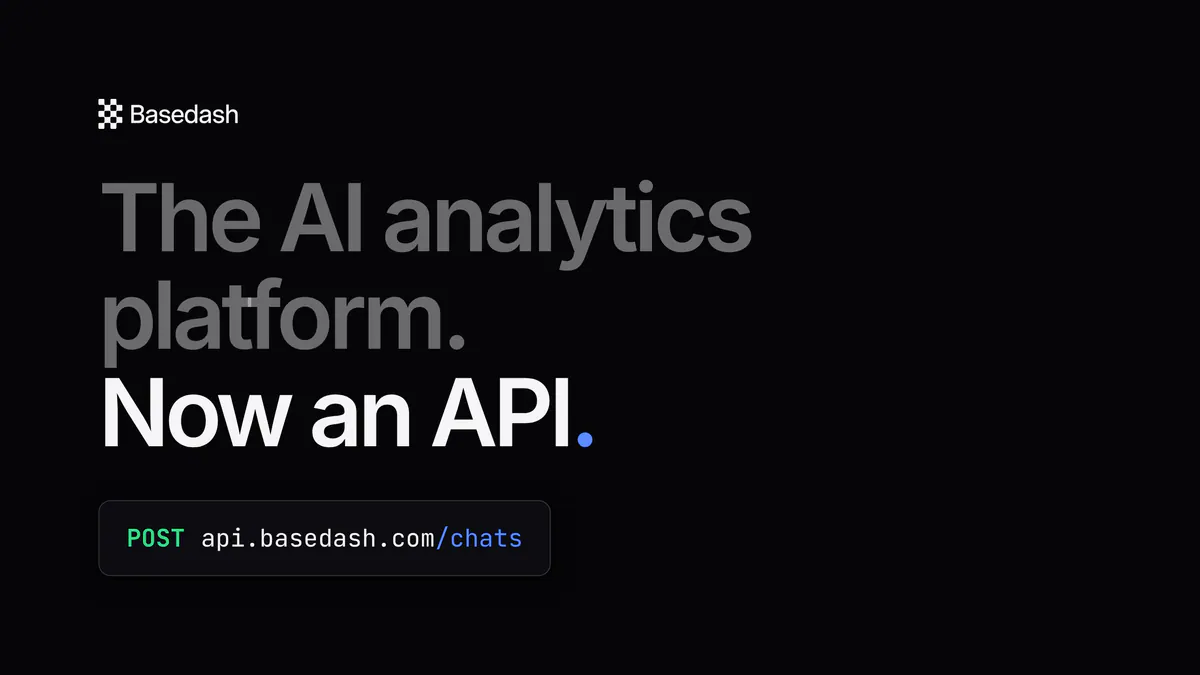
Basedash now has a Public API so you can automate your Basedash setup and maintenance. You can create, fetch, and update organizations; upload an organization image; and manage embedding-related org settings via API.

On the data side, the Public API supports creating, updating, and fetching data sources, plus verifying connection credentials before saving anything—making it much easier to build “test connection” flows into your own tooling. We also added a machine-readable API spec and introduced rate limiting to keep integrations predictable and stable at scale.

The public API is currently in private beta. Contact us at [email protected] to request access.

Full-app embedding: safer setup, clearer failures, better iframe support (private beta)

Full-app embedding complements our dashboard embedding offering by allowing you to not only embed a single dashboard in an iframe, but embed your whole Basedash app in an iframe—so you can tightly integrate Basedash with your existing products.

Embedding setup is now configurable directly in-app, with controls to enable/disable full-app embedding per org and manage allowed embed origins.

Sign-in is handled via JWT SSO—just get your JWT secret from Basedash, then create JWTs to authenticate users directly into your embedded app. You can also optionally assign a role through the JWT when provisioning new members.

Full-app embedding is currently in private beta. Contact us at [email protected] to request access.

Fixes and improvements

  • Simplified the data source connection and onboarding experience.
  • Improved navigation so saving a chart returns you to the correct dashboard tab.
  • Preserved exact chart queries when adding charts from chat to dashboards (reducing “surprise” changes).
  • Improved automation email recipient management (add/remove recipients more easily, including external emails).
  • Prevented running Autopilot automations with missing instructions.
  • Auto-named automations after the first run (instead of leaving “Start from scratch”).
  • Improved recurring automation quality by using summaries of previous runs as context.
  • Showed the last successful chart results when a refresh fails (instead of blanking the chart).
  • Sped up data exports by avoiding unnecessary count queries.
  • Fixed cases where charts could render blank unexpectedly.
  • Fixed bar chart ordering issues when breakdown data is incomplete.
  • Improved currency label spacing for multi-character symbols in bar charts.
  • Clarified data source status when a connection is unhealthy.
  • Tightened permissions and reduced accidental overwrites when making bulk dashboard/chart updates.
  • Improved chat UI layout so content doesn’t shift and feedback controls stay visible.
  • Reduced visual clutter by auto-collapsing long “context updated” callouts.
December 12, 2025

Basedash Autopilot

Today we’re excited to introduce Autopilot, the next evolution of Basedash.

Autopilot is an AI agent that proactively analyzes your data, finds the most important insights, and automatically surfaces them to your team.

Autopilot is a major upgrade to Reports, a beta feature many of our customers have been using for the past few months.

What began as a simple scheduled summary tool has grown into something far more powerful: an autonomous, always-on partner that helps you understand what’s happening in your business… and why.

Learn more about Autopilot here.

2025 Wrapped

We added a new “2025 Wrapped”, which lets you generate a summary of the year’s key insights for your company.

Try it out by clicking the new “2025 Wrapped” prompt in chat and share what your company achieved this year!

Fixes and improvements

  • Streamlined the onboarding “Connect a data source” flow to feel simpler and clearer.
  • Fixed PostHog tracking during onboarding.
  • Improved Slack-delivered automation rendering for long content, especially when tables are involved, so messages stay readable.
  • Fixed an issue where clicking an automation could open the wrong automation.
  • Fixed an issue where chat-generated charts could spin forever instead of showing an error when something goes wrong.
  • Fixed uneven and oversized bars in grouped vertical bar charts.
  • Improved table column resizing so widened columns reveal more text with less aggressive truncation.
  • Added scrolling to long submenus so actions don’t get stuck off-screen.
  • Improved resilience around transient query failures (for example, network issues and 502s) so things recover more gracefully.
December 5, 2025

Richer chart export and copy options

You can now copy or export data from both chart tables and AI-generated markdown tables in a clean, markdown-friendly format. This makes it much easier to move structured results from Basedash into docs, Slack, tickets, or other tools without manual reformatting.

We also expanded the “copy” options so they’re available both from the chart card menu and from the table footer. Whether you want to grab a whole result set or a small slice of records, the copy actions are now consistent and easy to find across tables and charts.

More consistent and legible charts

Chart colors are now deterministic and consistent across the app. Categories get stable, predictable colors from a centralized palette, and single-series charts now use a neutral default color instead of cycling through brighter accents. Legend labels, metrics, and chart segments all stay in sync so what you see in the legend always matches what you see in the visualization.

We also fixed several issues around financial charts. Multi-letter currencies such as CHF now display correctly in tooltips and along chart axes without being cut off, and we pass the right currency information through to vertical bar charts. Legend entries are chosen in a stable order before being limited, so labels remain predictable even on busy dashboards.

Better Slack and chat experience

Slack messages now look much closer to how they appear in Slack itself. Mentions are rendered as readable names instead of raw ID strings, and emoji shortcodes like :wave: are converted into proper emojis before they’re shown in Basedash. Avatars in Slack chats now support consistent hover cards, giving you clearer context about who’s participating in a conversation.

Chat reliability has also improved. We fixed an issue where automations could briefly jump from a “generating” state back to an empty view before returning to “generating,” and we now refetch chat messages if generation stopped while you navigated away and then came back. Timeouts and reconnect behavior around chat syncing were tuned so slow or flaky connections are less likely to interrupt an ongoing conversation.

Onboarding and navigation improvements

The onboarding flow now includes an organization switcher for users who belong to multiple workspaces. If you start onboarding in one organization and then get added to another, you can switch to the correct workspace directly from the onboarding experience instead of getting stuck in the wrong one.

We also polished smaller visual and navigation details. Uploaded avatar images in onboarding now preserve their aspect ratio instead of appearing squished, and dashboard cards on the main dashboards view behave more like traditional tiles—more of the card surface is clickable, making it easier to jump into the dashboard you want.

Fixes and improvements

  • Reduced duplicate Slack responses.
November 28, 2025

Slack chat: two-way sync and richer messages

Slack-connected chats are now truly two-way. Messages you write in Basedash are posted back into the linked Slack thread, and Slack mentions render as readable @names with rich tooltips showing profile details. When a Basedash member has no avatar, we fall back to their Slack avatar and also sync missing avatars into Basedash so conversations feel more personal and recognizable.

We’ve also polished the first response from the bot with a “View in Basedash” button, made long answers and automations robust against Slack’s 3,000‑character limit, and stopped raw Slack IDs from leaking into chat titles. Under the hood, message parsing and markdown handling are more forgiving, so chats are less likely to get stuck or fail to send because of formatting quirks or unusual Slack payloads.

Slack setup, permissions, and onboarding

Slack setup and troubleshooting are much clearer. The Slack integration view in the command menu now has a dedicated details pane showing workspace status, missing permissions, and clear actions like “Reconnect workspace” or “Update permissions,” plus a sidebar callout whenever the app needs to be updated. This makes it easier to understand at a glance whether your workspace is fully connected and up to date.

When permissions are missing, we add emoji reactions to show that a message is being processed, surface one-time guidance inside Slack with direct links back to the correct settings in Basedash, and avoid spamming duplicate warnings. New installs receive a short onboarding DM and a one-time tip the first time someone invokes the bot. Sharing charts now uses the bot installation for the whole workspace rather than per-user auth, so fewer people need to connect Slack before they can share charts.

Dashboard layout upgrades: tabs, headers, ultrawide

Dashboards now support tabs, making it much easier to organize complex workspaces into logical sections (for example, “Overview,” “Product,” “Growth”). You can move charts between tabs, with safeguards to avoid no-ops when you target the current tab, and you can add headers and freeform text blocks to explain what a dashboard or group of charts is for. This makes dashboards better suited to storytelling and team handoffs, not just raw monitoring.

For dense monitoring setups, an ultrawide dashboard mode lets you take advantage of wider screens, with follow‑up fixes to keep layouts looking correct across widths. Trial‑ending callouts have also been restyled to match the new Slack integration callouts, so important subscription and integration status messages feel consistent throughout the app.

Charting enhancements: goal lines, grouped bars, flexible line charts

Charts gained several new visualization options. Line and scatter charts now support goal lines, letting you overlay a horizontal target value so it’s easy to see whether metrics are above or below a threshold. Bar charts have a new grouped mode alongside stacked bars, so you can compare series side‑by‑side when that reads better than stacking.

The line chart type itself has been generalized to handle both time‑series and categorical data. It now automatically switches between time‑based and categorical modes and comes with updated copy and examples that make it clearer when to use each. The data source picker in the command menu also gained a split‑view details pane with human‑readable descriptions of each connector, making it easier to understand what each database or warehouse option is best suited for before you connect.

Automations

Automations and scheduled messages are more reliable. We fixed an issue where automations could remain stuck in a “Generating” state even after completing, and we now block new scheduled automation runs when an automation is already in progress for the same automation in the last 24 hours. This prevents duplicate Slack posts for the same scheduled automation and keeps automation statuses aligned with reality.

Slack automation notifications have been upgraded with clearer formatting and a “View in Basedash” button, and they now split very long content across multiple Slack blocks instead of failing when hitting Slack’s length limits. Together with the broader Slack messaging improvements, this makes automations easier to read directly in Slack while still providing a smooth path back into the app to explore details.

Fixes and improvements

  • Replaced the thinking-steps popover in the chat sidebar with a single collapsible section, making it easier to scan and then tuck away intermediate reasoning.
  • Fixed a bug where the loading bar could appear jittery in Safari, providing smoother visual feedback while pages and queries load.
  • Corrected the “View documentation” command menu item in the desktop app so it opens docs in your default web browser instead of a new app window.
  • Improved performance and reliability when connecting to very large databases by reworking how schema metadata is loaded and cached.
  • Stopped introspecting tables from ignored schemas so database connections feel cleaner and faster, with less noise in the table list.
  • Improved stability around Postgres and Databricks connections, reducing the chance of errors when connections are opened and closed.
  • Reduced flickering during AI chart creation by avoiding chat message refetches while there are pending mutations for the chart or chat.
  • Updated the Slack integration badge styling to use the latest success color tokens, aligning it with the rest of the design system.
  • Cleaned up chat titles generated from Slack messages so they no longer include raw Slack user ID strings.
October 10, 2025

Archive automations with a “Recently deleted” view

You can now archive automations. Archived items are moved to a “Recently deleted” section, helping you keep workspaces tidy without losing context. This follows the same archiving model we use for dashboards and charts for a consistent cleanup workflow.

Clearer partial data in time series charts

Time series charts now use dashed lines and bars to indicate partial periods (for example, the current day or month). This makes it obvious when a data point is still in progress and helps prevent misreads of incomplete data. We also shipped a small performance improvement when rendering these partial series.

Faster AI chat with database schema caching

We added a database schema cache so we no longer re-fetch large schema metadata every time you start a chat. In local tests, this shaved about 1–2 seconds off responses on cache hits, with bigger gains on larger databases, while also reducing load on the database.

October 3, 2025

Databricks as a data source

You can now connect Databricks as a data source. Point Basedash at your Databricks SQL warehouse and start querying right away. This expands support for enterprise data stacks and makes it easier to bring Databricks datasets into dashboards and AI workflows.

Connection uses your Databricks workspace URL and SQL warehouse credentials. Once connected, tables appear alongside your other sources in the Data tab.

Mobile navigation: “More” menu for account and org actions

We’ve added a “More” menu in mobile navigation so it’s easy to log out and switch organizations from your phone. This addresses the prior limitation where these actions were hard to access on smaller screens.

The result is a more complete and predictable mobile experience across accounts and orgs.

Data tab: Fivetran connectors now visible

Fivetran connectors are now shown directly in the Data tab, making it simpler to see which sources are synced through Fivetran and how they relate to your other data.

September 26, 2025

Unified account and organization menu

We’ve combined the organization switcher and user dropdown into a single, streamlined menu. Logout now lives in the Profile command menu route (and remains available from the global command menu), reducing duplication and simplifying navigation.

Cleaner data browsing with soft-deleted rows filtered by default

The data page now automatically filters out soft-deleted records. This keeps views tidy and reduces the chance of confusion or acting on deprecated data, improving day-to-day clarity for data exploration.

Fixes and improvements

  • Removed the “New chart from prompt” command; use the global AI chat panel instead.
  • Fixed blank spacing that caused extra “thinking” rows in chats.
  • Restored vertical expansion for the chat input.
  • Resolved gaps in chat messages so conversations appear continuously.
  • Fixed an issue where stopping AI chat didn’t reliably stop generation or restore the prior prompt.
  • Made the global chat sidebar open by default for quicker access.
September 19, 2025

Self-hosted deployment updates

We introduced a System Settings UI that centralizes configuration (like email and AI providers) in-app for self-hosted instances. This reduces reliance on environment variables and makes setup and ongoing administration much simpler.

Access is limited to admins on self-hosted instances. While the first iteration focuses on foundational structure, it sets the stage for more configuration options to be managed directly in the app.

Simpler SMTP configuration with test emails

SMTP setup is now more forgiving for self-hosted deployments. Authentication is optional when no username/password is provided, and TLS behavior is handled more explicitly to support local/dev testing scenarios.

A test email tool lets you validate templates and configuration end-to-end, improving confidence in email delivery before going live.

Improved Fivetran connector onboarding

We improved the connector onboarding flow to make it easier to connect new data sources through Fivetran, with clearer status indicators and better error handling.

September 12, 2025

Charts in Chat for everyone

You can now generate and work with charts directly from Chat across the app. While viewing a dashboard, adding a chart from the global chat instantly pins it to your current dashboard—making it faster to capture insights without context switching.

We also smoothed the reading experience in chat with cleaner table rendering and streaming of final assistant replies so long answers don’t “jump” when they finish.

Redesigned chat sidebar: integrated and resizable

The chat sidebar is now part of the main layout and can be resized to fit your workspace. The previous floating panel has been removed, giving a more predictable, space-efficient workflow and consistent sizing across chat contexts.

Fixes and improvements

  • Added a loader in the sidebar while a chat is generating.
  • Hardened security across authentication and session handling.
  • Improved stability for real-time sync connections.
September 5, 2025

Global AI sidebar

A new global AI sidebar is now available across the app, making assistance just a click away wherever you are. The chat list is collapsible and there’s a floating sidebar variant so you can keep working while chatting. When you navigate between pages, your selected chat now stays open in context for a smoother flow.

We also tightened up the sidebar experience with scroll reliability, better spacing, and visual refinements to “thinking” states so the interface feels faster and more consistent.

New OTP login flow

We’ve introduced a one-time passcode (OTP) login option for a faster, more reliable sign-in experience. The OTP screens have been refreshed to be clearer and more consistent with the rest of the product.

Alongside the new flow, we fixed an issue where magic links could fail if you were already logged in, improving reliability for link-based sign-ins.

Automations onboarding and clarity

New workspaces now automatically get a “Daily insight” automation with email notifications enabled, so you start seeing value without setup. If you don’t want it, you can always remove or customize it later.