Introducing granular permissions in Basedash
Max Musing
 Max MusingFounder and CEO of Basedash
· November 14, 2026
Max Musing
Max MusingFounder and CEO of Basedash
· November 14, 2026
Today we’re launching granular permissions for Basedash Enterprise. Admins can now choose who else gets to do eight kinds of workspace work, without making anyone an admin.
The people who keep a workspace in shape, curating models, writing AI context, and connecting data sources, usually had to be admins to do that work. Admin also meant billing, member roles, and everything else. Now you can hand out the work and keep the admin role where it is.
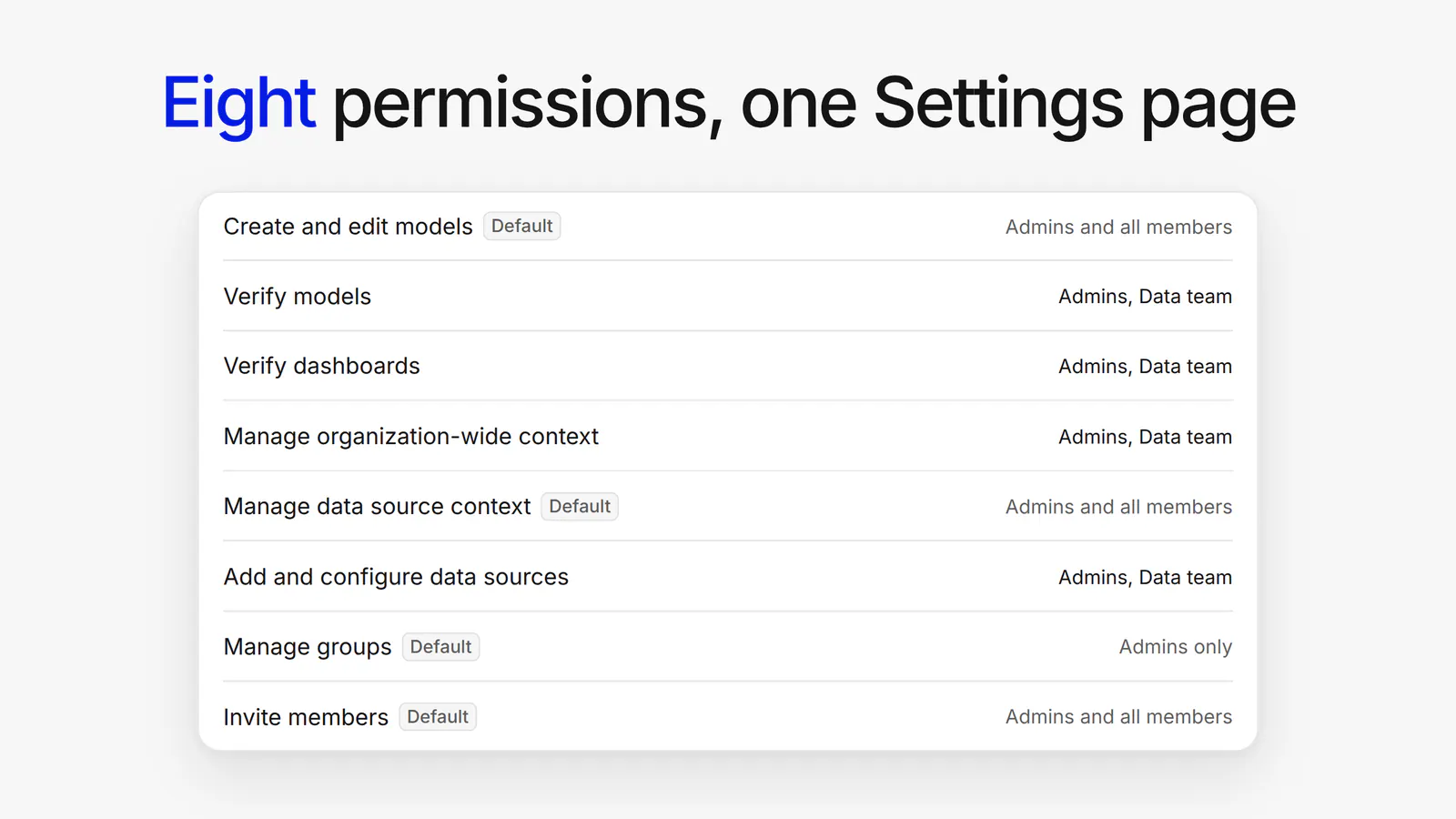
Granular permissions live on a new Settings → Permissions page that only admins can open. It lists eight permissions:
Verify dashboards covers last week’s verified dashboards, so your data team can vouch for the numbers without being admins.
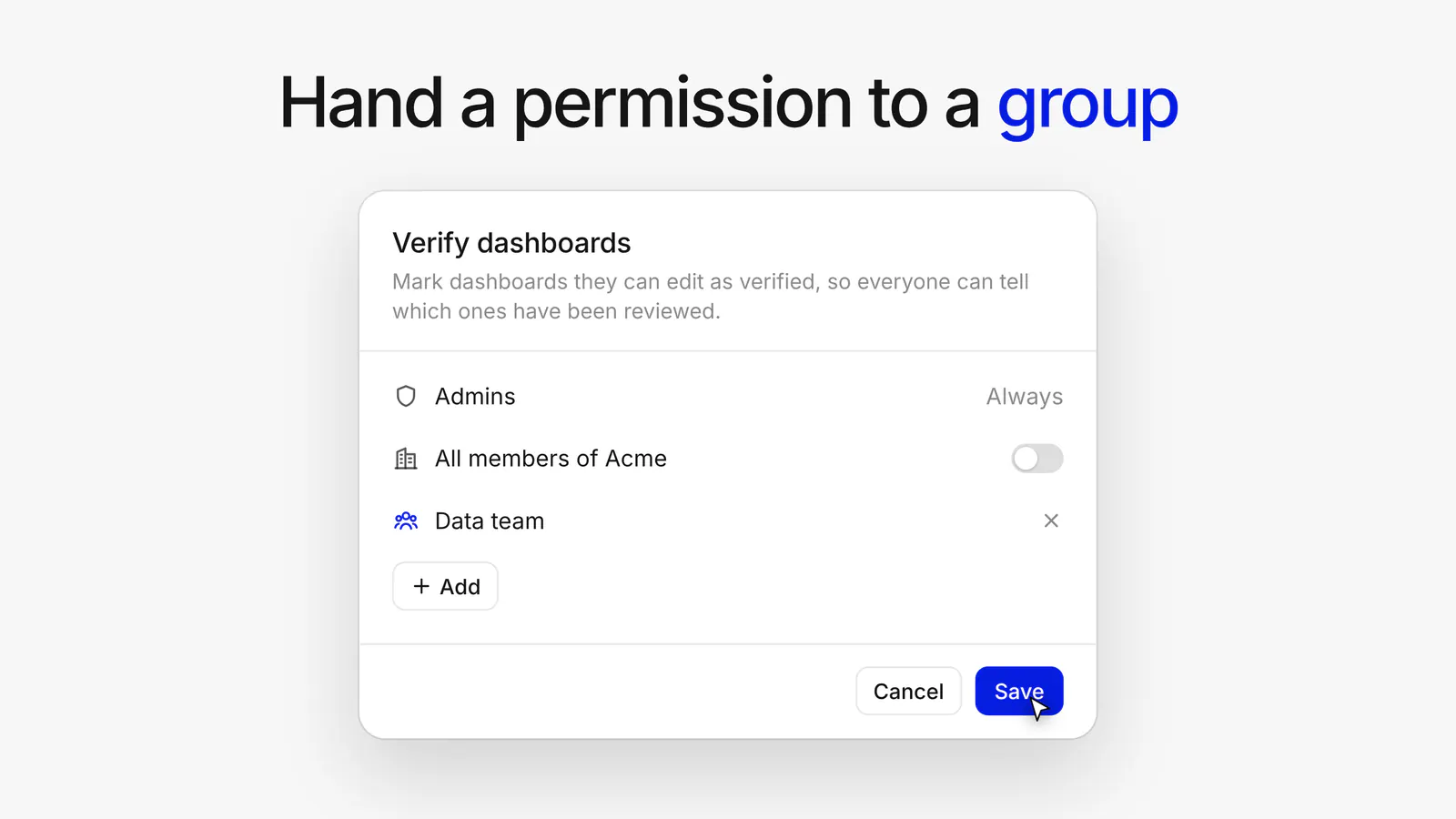
Open a permission to choose who holds it besides admins. You can turn it on for all members with one switch, or add specific groups or specific members.
Granular permissions have firm limits:
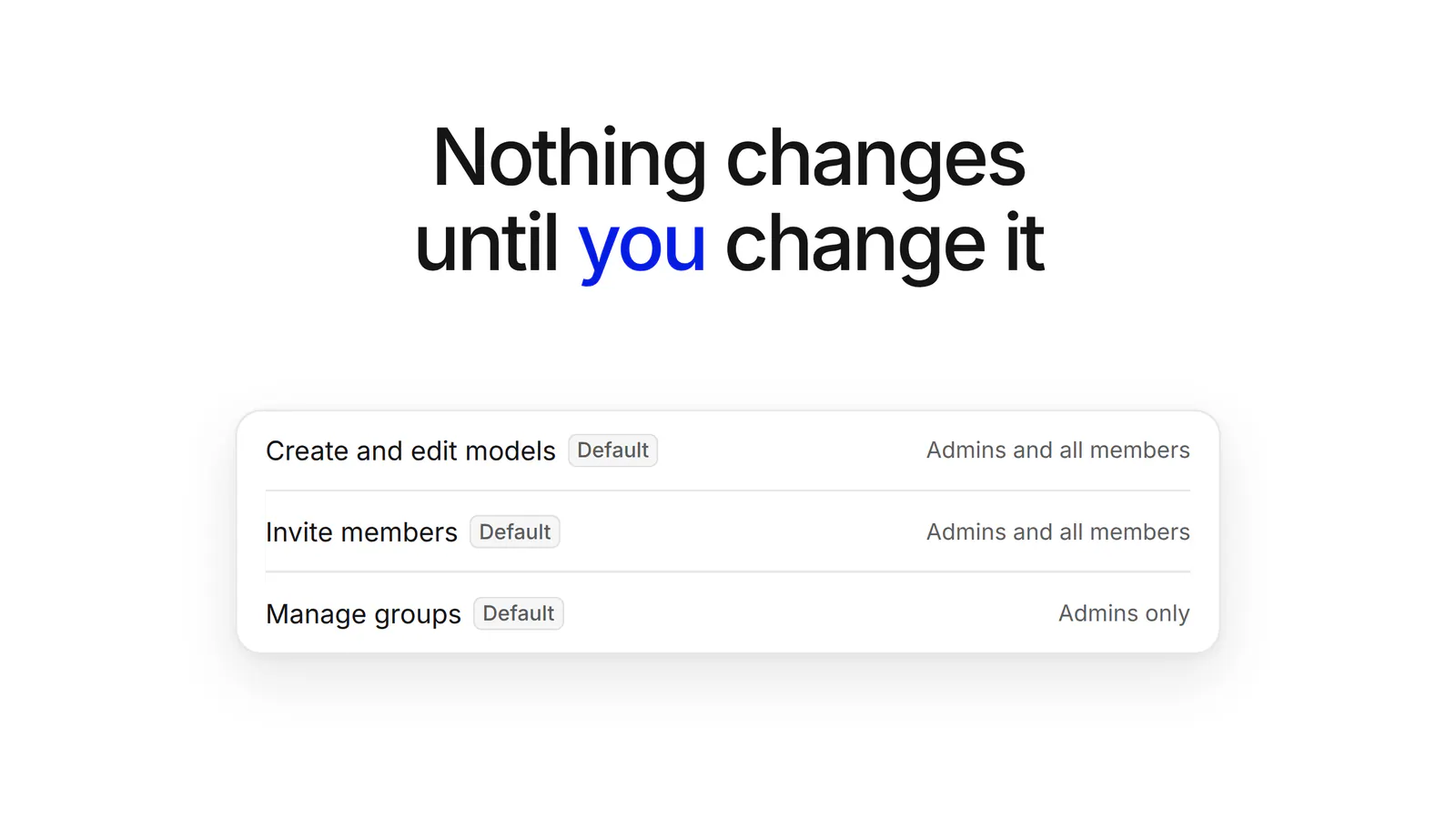
Every permission starts on today’s defaults, so nothing changes for your team until an admin configures it. Change only the permissions you want, and use Reset to default to put any one of them back.
Granular permissions are available today on Basedash Enterprise.
To learn more about the Enterprise plan, see the Enterprise page.
Share the work. Not the admin role.
Written by

Founder and CEO of Basedash
Max Musing is the founder and CEO of Basedash, an AI-native business intelligence platform designed to help teams explore analytics and build dashboards without writing SQL. His work focuses on applying large language models to structured data systems, improving query reliability, and building governed analytics workflows for production environments.
Basedash lets you build charts, dashboards, and reports in seconds using all your data.